
GENERATION TO GENERATION
Preserving Our Past with Oral History
Introduction | Background Knowledge | Activities | Extensions | Standards

Introduction
History books and documentaries share facts. For example, they indicate when a war started or ended. They can tell when things happened and where, but history books and documentaries often leave out the human aspect of history. Well before humans began to record history in writing, stories were passed down from one generation to the next. This practice has morphed into oral history. Oral history is a way to preserve the experiences of people who lived through history, which are otherwise preserved in books and documentaries.

Background Knowledge
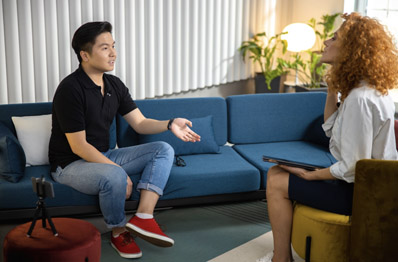
According to the Oral History Association, "Oral history is a field of study and a method of gathering, preserving, and interpreting the voices and memories of people, communities, and participants in past events. Oral history is both the oldest type of historical inquiry, predating the written word, and one of the most modern, initiated with tape recorders in the 1940s and now using 21st-century digital technologies." Oral history is a dialogue between the subject and the interviewer. When students are the interviewers, they learn history, but they are also learning to be historians.
ACTIVITIES
-
Explore curated oral history activities. Use Nearpod (reviewed here) to turn any of these activities into an interactive lesson.
-
Uprooted! Japanese Americans During World War II (reviewed here)
- Geared to upper elementary and middle school students, this activity walks students through the experiences of Japanese-Americans who were sent to internment camps.
- Copy the questions and video from this PDF into a Google Form (reviewed here) or Microsoft Form (reviewed here) to easily view and assess student responses.
-
Learn about the 688th Central Postal Directory Battalion
- Hear the accounts of the brave women who served in the primarily African American battalion during the Vietnam War.
- If permitted, compare the accounts to the 2024 movie, The Six Triple Eight.
- Read the accounts of survivors of the Triangle Shirtwaist Factory fire.
- For older learners, listen to oral histories of key 20th-century events from Telling Their Stories (reviewed here).
-
Circle of Stories - Stories of Native Americans
- Learn about the people who keep Native American stories alive. The participants share where they learned the stories and their significance to the people.
- From the Library of Congress, learn more about Immigration through oral histories.
-
Uprooted! Japanese Americans During World War II (reviewed here)
-
Have students create their own oral history projects. Help students stay organized and on track with project expectations by creating a list of items to complete and a timeline using Magic ToDo (reviewed here).
- Share StoryCorps (reviewed here) with students, and have them watch the interviews available on the site. As an alternative to gathering equipment to share their stories, students can use the StoryCorps app. It provides built-in question prompts, records the audio, and, with permission, uploads the interview to the Library of Congress. It turns a classroom project into a contribution to national history. StoryCorps' Storytelling 101, under the participate link, is an excellent resource that offers tips on asking great questions and guiding conversations successfully.
-
Choose the topic and subject:
-
Examine your curriculum to identify areas where you can enhance the content with oral history.
-
Topics for Younger Students:
- Then and Now
- Community Helpers
- Family
- Traditions and Customs
- Inventions
-
Topics for Older Students:
- State history
- Civil Rights
- Immigration
- Transportation
-
Topics for Younger Students:
-
Examine your curriculum to identify areas where you can enhance the content with oral history.
- Identify the purpose of the interview. Brainstorm a list of interview questions. ReadWriteThink suggests a list of questions for oral histories.
- Brainstorm a list of possible interviewees. Contact them and schedule interviews.
- Identify and gather all equipment - computers, recording devices, cameras, etc. - to conduct the interview. A simple recording option is a podcast; try a tool like Adobe Podcast (reviewed here). With Adobe Podcast, you do not need any special equipment, and you do not need to be in the same room as the interviewee; just click Invite Guests.
- Using a rubric like Quick Rubric (reviewed here), explain the expectations for the final product so students know what they will do with their information. Rubrics help ensure the students understand how they will be assessed.
-
Practice interview questions.
- Students can practice interview questions with a partner - this partner can be a trusted adult or another student.
- Although Interview Warmup (reviewed here) provides guidelines and practice tips for job interviews, older students can use this site to prepare for their interviews and learn interview strategies.
-
Conduct the interviews
- Invite a subject into the classroom and do a group interview, encouraging each student to ask a question.
- Create a class list of questions and have students complete individual interviews.
- Older students can transcribe the interview. Younger students can listen to or watch the recordings.
-
Complete the final product
-
Technology Approach
- Role-Playing - Make a video using Adobe Express Video Maker (reviewed here). Students can record themselves as the person they interviewed to share with their classmates. If students are uncomfortable in front of the camera, try stop motion videos using Cloud Stop Motion (reviewed here).
- Write a newspaper or magazine article. Try Fodey (reviewed here).
- Use AI technology to add visuals to students' reports using Napkin AI (reviewed here). Students can upload their documents to create a single report, then choose charts, infographics, timelines, and more to build a professional-looking report.
-
Non-technology Approach
- Role-Playing - Students can present to their classmates as the person they interviewed.
- Write a newspaper or magazine article.
-
Technology Approach
EXTENSIONS
-
Compare the Oral History to Other Sources
- Oral history can fill in the blanks left by other sources. Challenge students to identify what is missing from a history unit. For example, in this CDC article on the 1918 Spanish Flu Pandemic, the text states that children aged 6-19 had a lower mortality rate than other age groups. However, this oral history tells a different story from the perspective of a school-aged child. Both accounts are correct - the CDC provides facts and numbers, but the oral history adds the human aspect of being a student during the pandemic.
- Students can use Wakelet (reviewed here) to create a digital collection that sits side by side: a link to the CDC article, a YouTube clip from a documentary, and their own recorded oral history interview. It's a clean way to show how multiple sources build a full historical picture.
-
Compare Oral History to Storytelling
- There are many similarities between sharing oral history and storytelling. However, storytelling often incorporates legends and folklore, and students must be cautioned to think critically and remain respectful. Visit the International Storytelling Center (reviewed here) for ideas and background information.
-
Connect to Literature
-
The easiest place to start working with oral history is through families. Even primary-aged students can interview family members to learn about the past. Begin with picture books; use them to engage in conversation about what is important about the story. This discussion can help younger students brainstorm interview questions. Reading Rockets suggests the following books as preparation for interviewing grandparents for oral history:
- Song and Dance Man by Karen Ackerman (ISBN 9780679819950)
- Nana Upstairs and Nana Downstairs by Tomie dePaola (ISBN 9780698118362)
- My Grandmother's Cookie Jar by Montzalee Miller (ISBN 9780843115871)
- Grandfather's Journey by Allen Say (ISBN 9780544050501)
-
The easiest place to start working with oral history is through families. Even primary-aged students can interview family members to learn about the past. Begin with picture books; use them to engage in conversation about what is important about the story. This discussion can help younger students brainstorm interview questions. Reading Rockets suggests the following books as preparation for interviewing grandparents for oral history:

CORRELATION TO STANDARDS
-
AASL National School Library Standards
-
Inquire Shared Foundation, Think Domain - Learners display curiosity and initiative by:
- 1. Formulating questions about a personal interest or a curricular topic.
- 2. Recalling prior and background knowledge as context for new meaning.
-
Inquire Shared Foundation, Share Domain - Learners adapt, communicate, and exchange learning products with others in a cycle that includes:
- 1. Interacting with content presented by others.
- 2. Providing constructive feedback.
- 3. Acting on feedback to improve.
- 4. Sharing products with an authentic audience.
-
Include Shared Foundation, Share Domain - Learners exhibit empathy with and tolerance for diverse ideas by:
- 1. Engaging in informed conversation and active debate.
- 2. Contributing to discussions in which multiple viewpoints on a topic are expressed.
-
Include Shared Foundation, Grow Domain - Learners demonstrate empathy and equity in knowledge building within the global learning community by:
- 1. Seeking interactions with a range of learners.
-
Engage Shared Foundation, Think Domain: Learners follow ethical and legal guidelines for gathering and using information by:
- 1. Responsibly applying information, technology, and media to learning.
- 2. Understanding the ethical use of information, technology, and media.
-
Engage Shared Foundation, Create Domain: Learners use valid information and reasoned conclusions to make ethical decisions in the creation of knowledge by:
- 1. Ethically using and reproducing others' work.
- 2. Acknowledging authorship and demonstrating respect for the intellectual property of others.
- 3. Including elements in personal-knowledge products that allow others to credit content appropriately.
-
Engage Shared Foundation, Grow Domain: Learners engage with information to extend personal learning by:
- 1. Personalizing their use of information and information technologies.
- 2. Reflecting on the process of ethical generation of knowledge.
- 3. Inspiring others to engage in safe, responsible, ethical, and legal information behaviors.
-
Collaborate Shared Foundation, Think Domain - Learners identify collaborative opportunities by:
- 1. Demonstrating their desire to broaden and deepen understandings.
- 2. Developing new understandings through engagement in a learning group.
- 3. Deciding to solve problems informed by group interaction.
-
Collaborate Shared Foundation, Create Domain - Learners participate in personal, social, and intellectual networks by:
- 1. Using a variety of communication tools and resources.
- 2. Establishing connections with other learners to build on their own prior knowledge and create new knowledge.
-
Collaborate Shared Foundation, Grow Domain - Learners actively participate with others in learning situations by:
- 2. Recognizing learning as a social responsibility.
-
Explore Shared Foundation, Think Domain - Learners develop and satisfy personal curiosity by:
- 1. Reading widely and deeply in multiple formats and writing and creating for a variety of purposes.
-
Explore Shared Foundation, Create Domain - Learners construct new knowledge by:
- 1. Problem solving through cycles of design, implementation, and reflection.
-
Explore Shared Foundation, Share Domain - Learners engage with the learning community by:
- 3. Collaboratively identifying innovative solutions to a challenge or problem.
-
Explore Shared Foundation, Grow Domain - Learners develop through experience and reflection by:
- 1. Iteratively responding to challenges.
- 2. Recognizing capabilities and skills that can be developed, improved, and expanded.
- 3. Open-mindedly accepting feedback for positive and constructive growth.
-
Inquire Shared Foundation, Think Domain - Learners display curiosity and initiative by:
-
ISTE Standards for Students
-
Empowered Learner 1.1
- 1.1.b. Students build networks and customize their learning environments in ways that support the learning process.
- 1.1.c. Students use technology to seek feedback that informs and improves their practice and to demonstrate their learning in a variety of ways.
-
Digital Citizen 1.2
- 1.2.c. Demonstrate an understanding of and respect for the rights and obligations of using and sharing intellectual property.
-
Knowledge Constructor 1.3
- 1.3.d. Students build knowledge by actively exploring real-world issues and problems, developing ideas and theories, and pursuing answers and solutions.
-
Innovative Designer 1.4
- 1.4.d. Students exhibit a tolerance for ambiguity, perseverance, and the capacity to work with open-ended problems.
-
Global Collaborator 1.7
- 1.7.c. Students contribute constructively to project teams, assuming various roles and responsibilities to work effectively toward a common goal.
-
Empowered Learner 1.1